Tuesday, January 30, 2007

T-Mobile Sidekick 3

T-Mobile Sidekick 3

The latest version of Danger's PDA/phone features an MP3 player, a trackball, and a great keyboard.

In a PDA/phone universe dominated by Palm and Windows Mobile devices, the Sidekick (made by a company called Danger, but marketed exclusively by T-Mobile) has always been a maverick with a devoted, if small, following. To its predecessor's repertoire of features (phone, Web browser, e-mail manager, and camera), the new Sidekick 3 adds a faster processor, support for a faster data network, a music player, and other goodies that should please the faithful and draw new converts who don't require a well-established software platform from their connected handheld.

I tried a shipping version of the device, which costs $300 with a two-year T-Mobile contract (as of 7/7/06). T-Mobile charges a very reasonable $20 per month for unlimited data services if you also get a voice plan; the cost is $30 per month if you want to use the Sidekick 3 only for data.

The notion of data-only use is not far-fetched, because the Sidekick 3 has some shortcomings as a phone. While it's a tad thinner than the previous version, its dimensions--5.1 by 2.3 by 0.9 inches--and its 6.7-ounce weight are still a bit bulky, even for a hybrid. Also, to dial a number you must first swivel and flip up its display (with a roomy 2.6-inch screen) to reveal a QWERTY keyboard on which you tap out the digits. Pressing a button sporting a traditional green phone icon (located to the right of the display) initiates the call, but you must then flip the screen shut to talk into the device. All that flipping is at the very least distracting. Fortunately, you can call address-book contacts without having to use the keyboard, and you can use the included earbud stereo headphones instead of holding the handset to your face. Voice quality in my test calls was quite good.

Images captured with the Sidekick 3's 1.3-megapixel camera were better than those I've snapped with other phone cameras, but still on the fuzzy side. The new music player plays MP3 files only; audio quality wasn't great over the external speaker, but was quite good through the headphones. One of the Sidekick 3's most likable qualities is the ease with which it transfers music and photos to and from an included 64MB miniSD Card to a PC. There are no drivers to install: You simply connect the device to an available USB port using the included USB 1.1 cable, and the PC recognizes the miniSD Card as an external drive.

And while you get no desktop software, T-Mobile does provide a Web-accessible desktop that automatically syncs, over the air, your Sidekick address book, calendar, to-do lists, e-mail (from your T-Mobile-provided account and/or up to three additional POP/IMAP accounts), and all photos saved to the device's memory (as opposed to the miniSD Card). It's a pleasant change from phones that make photo transfers difficult and--if you don't have unlimited data service--expensive.

But the Sidekick 3 really shines in e-mail, text messaging, and instant messaging, thanks to a happy combination of sensible and intuitive user interface design and one of the best keyboards I've encountered on a handheld. Web browsing is also a strength: Ads are stripped out by a proxy server, and while the browser doesn't preserve the look of sites, the content is generally very readable, which isn't always the case with handhelds.

The Sidekick 3's other upgrades include a small but smooth-running trackball for easy navigation between fields and menu options; a removable rechargeable lithium ion battery that ran for a very respectable 9 hours in our voice-call test; and support for T-Mobile's EDGE network for data speeds on a par with those of very good dial-up.

The Sidekick 3 isn't perfect. Its display, even when set to full brightness with the backlight on, isn't as brightly attractive as those on competitors such as Palm's Treo units or most Windows Mobile PDAs. Its biggest drawback, however, is the dearth of third-party applications for the Danger OS on which the Sidekick is based. Palm and Windows Mobile users can choose from thousands of applications--games, productivity software, utilities--available from a variety of Web sites; Sidekick owners have several dozen (accessible as over-the-air downloads via a Sidekick icon).

If the versatility that third-party apps afford and a petite shape aren't priorities for you, the Sidekick 3 is a good connected handheld for e-mail, messaging, and Web browsing. Heavy phone users might prefer a device with more straightforward dialing options; but for anything involving typing, the Sidekick is hard to beat.

Dell Inspiron E1505

Dell Inspiron E1505

This well-rounded notebook is ideal for getting work done.

Dell's revamped Inspiron E1505, an entertainment notebook, now includes an Intel Core 2 Duo processor. Though still a poor choice for gaming, the E1505 is plenty zippy for any other applications, including music and photo editing, and movie viewing. The 6.9-pound E1505 also throws in pretty good speakers, dedicated media buttons, and a cushy keyboard with stylish white trim, giving you a great all-around choice for consumers who don't want to spend an arm and a leg on a desktop replacement.

Generously equipped for the price, our $1186 (as of 11/6/06) E1505 came with the Windows XP Media Center Edition operating system, a double-layer DVD burner, four USB ports, a FireWire port, an ExpressCard slot, and a three-in-one memory card reader. The laptop's 15.4-inch WXGA screen is great for mainstream work, but if you need to see more on your screen at once, a WSXGA+ resolution is an option.

Our review unit had a 120GB hard drive. You can get a 160GB hard drive, still a relatively rare notebook option, for less than $60 more. Unfortunately, a built-in TV tuner is not an option, as it is on most other entertainment notebooks, but Dell's USB TV tuner is just $104 extra. The small external box comes with all the cables you'll need to connect to a cable box or a set-top box.

Equipped with a 2-GHz Core 2 Duo T7200 processor and 1GB of RAM, our machine earned a WorldBench 5 score of 102, which ranks within the top 20 percent of notebooks we've tested. The first E1505 we reviewed--equipped with a 1.66-GHz Core Duo T2300 processor and 1GB of RAM--did not play games smoothly and ran noticeably slower than other notebooks when we worked in multiple windows. With the faster chip, the notebook is now a much better multitasker, on a par with competitors, but game play is still poor: The laptop managed just 19 frames per second when displaying Doom and 36 fps in Far Cry. The 64MB of dedicated video memory allowed by a 128MB ATI Mobility Radeon X130 HyperMemory card just isn't enough to get most games off the ground. (We didn't test with the optional 256MB video card.)

The E1505 turned in excellent battery life, lasting 5.5 hours on one charge. The battery, which is located on the bottom of the notebook, sports an external gauge that lets you see how much juice is left before you have to plug the notebook in.

Like Dell's high-end XPS entertainment portables and budget-friendly Inspiron counterparts, the E1505 has a unique "instant office" capability. The feature makes staying on top of business as simple as pressing the MediaDirect button. The button launches a menu that now includes not only the usual entertainment options--DVD, music, videos, and photos--but also additional menu selections for the application viewers. Without launching Windows, you can view--though not edit--your PowerPoint slides and Outlook and Outlook Express calendars and contacts. You can also play DVDs, music, and digital photo collections. So if you've forgotten the starting time for a meeting, just pause the movie and check your schedule.

Expandability is somewhat limited. The E1505 is user upgradable, with both the hard drive and memory chips in accessible bottom compartments. However, docking is nothing fancy, with only a couple of options--the better one being a screen stand port replicator, a $103 extra. (You must provide the wireless keyboard and mouse.)

All in all, Dell has another winner in the souped-up E1505. Though not for gamers, the E1505 is a strong contender for your consumer dollar.

HP Pavilion dv9000t

HP Pavilion dv9000t

Big desktop replacement model includes an HD DVD drive.

The dv9000t is HP's new entertainment laptop with a 17-inch high-definition screen and a combo HD DVD player/double-layer DVD burner. With the dv9000t, you can stash hundreds of photos and MP3s on up to 240GB of storage provided by dual hard drives. You can also enjoy music and crisp movie dialogue from good stereo speakers, or listen privately with a friend using the dual headphones port. Online, you can personalize chatting with the optional integrated Webcam.

Pricing for the dv9000 line is very flexible, starting at $879 for the dv9000z with an AMD processor and a single hard drive, and topping out at around $2700 for an Intel-based dv9000t with all the trimmings. Our $2530 (as of 11/6/06) dv9000t review unit featured a 2-GHz Core 2 Duo T7200 processor, 2GB of RAM, XP Media Center Edition, dual 100GB hard drives, a 256MB nVidia GeForce Go 7600 graphics card, and the HD DVD drive.

The dv9000t shares several especially nice design features with its dv6000 and dv2000 siblings. These including hidden hinges and a gorgeous glossy piano-black finish with a subtle wave pattern. With the notebook turned off, a swipe of the finger across a backlit touch-sensitive media and volume-control panel located above the keyboard launches the HP QuickPlay menu for direct access to your movie, music, video, and slide-show collections. Using the Windows Media Center operating system, the dv9000t can pause and record live TV programs.

The dv9000t is not heavy for a 17-inch-screen laptop, coming in at just 8 pounds (not including the power adapter), so you can take it with you. The standard 8-cell battery lasted only 2.6 hours in our tests, though, so consider opting for the high-capacity version.

Our review unit also included the TV tuner kit needed to connect the dv9000t to an analog cable box or a set-top box. HP believes in the strict separation of notebook and TV tuner, to make upgrades to future technology easier, so catching Grey's Anatomy on this notebook (or any other Pavilion) requires three extra pieces of hardware: the HP ExpressCard Analog TV Tuner, its coaxial adapter cable, and a USB receiver for the Windows remote control.

The dv9000t is a powerful notebook capable of comfortably handling any type of work, from photo editing to heavy number crunching. Its WorldBench 5 score of 117 edged out the 109 score earned by its chief competitor, the Toshiba Qosmio.

The dv9000t would make an excellent desktop replacement: It includes a touchpad-equipped keyboard that's so well laid out, I hardly noticed that the right Shift key is no bigger than a regular alphanumeric key. The Shift key was no doubt shrunk to accommodate the separate numerical keypad, a nice extra rarely found on laptops. And unlike with most notebooks, the mouse buttons are very responsive, depressing deeply into the case.

If you do decide to chuck your old desktop for the dv9000t, consider treating yourself to the HP xb3000 Notebook Expansion Base for docking. A screen stand on steroids, the Base includes port replication for cable management, internal housing for a third hard drive, and built-in premium speakers. A wireless keyboard and mouse come with it.

Apple IPod Photo Large-Capacity MP3 Player

Carrying around a wallet full of pictures of the kids or the dog is so last year. Apple's IPod Photo makes it as easy to look at your most beloved pictures on the go as it is to listen to your favorite tunes. But it'll cost you.

IPod Photo comes in two sizes; I tested a shipping 40GB version, which costs $499--$100 more than the plain vanilla 40GB IPod. There's also a 60GB version of the IPod Photo, which sells for a wallet-emptying $599.

This IPod variant is the first in Apple's line of digital audio players to feature a color screen. The 2-inch, 65,000-color display is beautiful and crisp, though a bit small for viewing photos. It can also display album art while playing music--it's a nice touch, but the art is just too small (about the size of a fingertip) to appreciate.

Photos on the Go

Loading images onto the IPod Photo is simpler than heating up a microwave meal. Just as it does with your music, this device syncs pictures via ITunes 4.7 software (included on the CD). Plus, it's compatible with photo collections from Photoshop Elements 3.0 or Photoshop Album 1.0 on the PC, and IPhoto on the Mac.

Since I don't use either of the aforementioned PC apps, I set the IPod Photo to synchronize with the My Pictures folder, which worked great. I was able to choose between loading the entire My Pictures folder or only certain subfolders. IPod Photo automatically grabbed any new pictures I added each time I synced. Slick and seamless.

Once images are loaded, scrolling through thumbnails--even hundreds of them--is lightning fast. You can choose to look at a single photo, scroll through photos manually, or start a slide show. The Slideshow Settings menu lets you set, among other things, the amount of time slides display, as well as a playlist to aurally accompany a slide show. Unfortunately, you can't assign different playlists to various photo albums--you must change the playlist manually every time you want to alter the slide-show music.

On the Big Screen

IPod Photo comes with a cable for plugging into a TV's RCA jacks so you can present slide shows on the big screen. And while others see just the slide show on the TV screen, the IPod Photo screen displays both the previous and the next picture that will appear.

Apple includes USB 2.0 and FireWire cables, both of which let you charge the battery when plugged into a computer. And Apple claims up to 15 hours of life per charge (up from 12 hours on the current fourth-generation IPods); I was able to eke out about 14 hours of fantastic-sounding Coldplay, Green Day, and, uh, Barry Manilow (and that included some time spent looking at photos and playing slide shows).

Although you pay a premium for the IPod Photo, you also score on the accessory front. Not only are the AV cable and Apple's traditional earbuds included, but so are a carrying case and dock. On the downside, you'll have to purchase an add-on if you want to move pictures directly from a digital camera onto the IPod Photo. And even if you do that, you won't be able to view photos that come straight from a digicam--you need to load them on your computer before you can look at them on the IPod Photo. That's pretty annoying.

Despite such minor flaws and the high price, the IPod Photo won me over with its gorgeous color screen and its ability to seamlessly load both photos and music from my PC. Now instead of suffering through 40 minutes on the stair climber staring at the calorie counter, I can enjoy my favorite pictures.

Apple Mac Mini Small PC

There was plenty of prognostication before Macworld Expo and opinionation afterward, but here at PC World, we know you care more about how a product performs in actual use. And today we got to try out a shipping Mac Mini, Apple's new, entry-level desktop system.

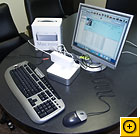
And the Mini is a solid little (emphasis on little) machine: If I didn't love my G4 PowerBook so much, I'd be very happy to have a Mac Mini on my desk, and I can't quibble with the price. The test unit that Apple sent us has 512MB of RAM (DIMM), plus built-in 802.11g Wi-Fi and Bluetooth. These extras bump the price up to $703 from the base of $499, but that's still a reasonably good deal.

This system has the same advantages and drawbacks as a typical notebook (except it doesn't have a screen). On the plus side, it's extremely light and portable, and fits unobtrusively into lots of different environments, unlike a typical tower system. On the minus side, it's relatively difficult to upgrade, and you can quickly clutter up your work space with external peripherals. And its external power brick is about a quarter of the size of the box itself.

Click here to view full-size image.
Photograph: Tracey Capen

After bringing your own monitor, keyboard, and mouse, you'll want to add a USB hub of some sort. Since the Mac Mini has only two USB 2.0 ports--one of which must be used for the keyboard--you'll have exactly one port left for connecting peripherals. And if you can't plug your mouse into a hub on your keyboard, you'll have none. I can imagine that the Mac aftermarket will soon have quite a few accessories with a Mini-like look, including hubs, external hard drives of the same dimensions as the Mini, and sleek, clean-looking KVM switches, to let people use the same peripherals they have for an existing system. It would be quite easy to stack this little box on top of a machine you already have.

Sturdy

Once you start adding peripherals, aesthetics depart quickly.
Photograph: Tracey Capen

Though it's small--more compact than the average lunchbox--this system isn't rickety. It handled most tasks I tried gracefully, without hesitating or freezing. The 512MB of RAM and the solidness of OS X 10.3 have a lot to do with that, but the 1.25-GHz G4 CPU also makes a difference. I opened half a dozen applications and switched among their various windows without any slowness.

The Mac Mini also played a DVD movie at full screen without a hitch, although you will certainly want a set of speakers or headphones to use with it: The sound through the built-in speaker was way too low on my movie. But the audio sounded great through a decent pair of headphones connected to the audio port. If you want to bring audio into the Mini, you'll need to spring for something like Griffin Technologies' IMic, which connects to a USB port.

The only time this Mac Mini hiccupped was when I opened a couple of large (15MB and 111MB) photos in IPhoto. I watched the "processing" icon for a good 10 seconds before either of these images would open, and switching among photos was a little sluggish. The system also wasn't the snappiest at importing a large batch of photos from a USB key, but importing from flash memory tends to be a little slow in any case.

Click here to view full-size image.

It ran about as hot as Mac notebooks tend to--I could feel heat coming from the back vents and from the bottom after about two hours of use. One pleasant surprise was how quiet the Mini is: I heard a little drive noise when the CD-RW/DVD-ROM drive was spinning up, but I usually didn't hear the hard drive, and the fans are very quiet. Even better, when I plugged headphones into the combination line-in/line-out jack, I didn't hear the droning system noise my PC pumps out.

My bottom line? If I were recommending a starter system to someone (who hadn't already taken a side in the Mac versus Windows holy war), I wouldn't hesitate to send them in the direction of the Mac Mini.

Dell Axim X30 PDA

Dell Axim X30 PDA

Dell may not win style awards for its PDAs, but you won't find a better bargain-priced Pocket PC with cutting-edge technology than the company's Axims. The new Axim X30 adds Intel's latest mobile chip, Bluetooth, and better security to the already impressive feature list of last fall's Axim X3--all at a slightly lower launch price of $349.

I tried out a shipping Axim X30 with a 624-MHz PXA270 processor (code name, Bulverde), Intel's latest CPU for personal digital assistants. Bulverde processors aren't just faster than the X-Scale CPUs employed in previous Axim models; they have the PDA equivalent of Intel notebook CPUs' SpeedStep technology, which prolongs battery life by adjusting power requirements depending on the applications in use.

In appearance, the X30 is identical to the silvery, lightweight X3; and with its stubby antenna, it looks bulkier than HP's IPaq 4150 (though at 4.9 ounces it's not much heavier). The unit's 240 by 320 display remains one of the brightest, sharpest PDA screens available, and the silver recharging cradle's second slot for accommodating a second removable, rechargeable battery is a smart and useful extra.

The X30 runs Microsoft's Windows Mobile 2003 Second Edition; this latest version of the OS for handhelds permits landscape-mode display orientation, lets Internet Explorer force Web pages into a single column, and adds support for Wi-Fi Protected Access (WPA), the most recent Wi-Fi security scheme.

Dell also markets a $279 version of the X30, offering all the same trimmings but a slower 312-MHz Bulverde processor. A third alternative is a $199 version providing the slower chip, no integrated Wi-Fi, and 32MB each of flash ROM and SDRAM (compared with 64MB each in the more expensive models). The two lower-cost X30 versions come with a syncing cable instead of a recharging cradle--but whichever way you go, Dell continues to set the standard for value in a connected PDA.

Olympus C-8080 Wide Zoom Digital Camera

Olympus C-8080 Wide Zoom

Olympus goes to 8 megapixels with the powerful and adaptable C-8080.

Olympus's C-8080 is a pumped-up version of the C-5060, our current Best Buy. The two cameras resemble each other in overall design and shape, but the C-8080 has 8-megapixel imaging to the latter's 5.1 megapixels, and is significantly bulkier. Its wide lens barrel houses fast f2.4/f3.5 optics (wide angle/telephoto)--a significant improvement over the C-5060's f2.8/f4.5. (The C-5060's relatively slow lens has received some criticism in user forums.) Olympus has also made small usability improvements with the C-8080, though it's just a matter of making a good thing better: The trigger button and zoom control are now separated and better placed, and the selector dial is in a more efficient location.

On the other hand, given the C-8080's price and size, its zoom range is surprisingly short--just 5X, a rather meager jump from the C-5060's 4X. Both cameras start at around 28mm (35mm equivalent), which is better than Nikon's competing 8-megapixel Coolpix 8700, which starts at 35mm. In making the jump to 5X, Olympus moved from an optical viewfinder to an electronic one. It's as sharp as the Nikon Coolpix's, but the colors seemed muted, giving a false sense of what colors you'll see in the actual recorded image.

Fortunately, the images produced by the C-8080 are superlative. Its image-sharpness score on our test photos was second only to that of the Sony Cyber-shot DSC-F828, and its exposure accuracy was second only to the C-5060. Color precision was fairly good, though one test image had a slight blue cast.

A finely designed menu system makes changing camera settings--even some of the more obscure settings such as the extensive custom white-balance controls--quick and intuitive. One of the more useful features is the My Mode setting, which lets you save up to eight different combinations of custom settings; it's a great way to quickly recall the best exposure selections for specific shooting conditions. The only drawback is its labeling: With the settings tagged as Custom 1 through 8, you'll need a notepad or a good memory to remember which setting to use when.

Like the C-5060, the C-8080 has an articulated LCD panel, but the C-8080's is less flexible--it rotates out and up at right angles to the camera body, but cannot spin 180 degrees as the C-5060's can. Both cameras take wide-angle and telephoto lens adapters, but the lenses are not interchangeable between the two cameras. Our unit came with a lens shade and a wireless remote control--very useful for macro shooting, because extremely few digital cameras take a cable release.

BlackBerry 7100t PDA Phone

RIM's BlackBerry 7100t is the first data phone under the Duo's microscope. It's available from T-Mobile for $200, and its keyboard is embedded in a standard numeric keypad. Each key has two letters, and the phone guesses which letter you intended as you type. Though it's a good guesser, Steve felt the keyboard was too cramped and Angela found it too hard to correct typos. The 7100t also requires a multitude of special keys and modes to navigate and enter different types of data, making it hard to use with one hand.

Angela isn't keen on the 7100t's Web browser, and points out that e-mail is tedious on this phone. Worse, if your company doesn't run a BlackBerry server, you'll have to manage a special Web mail site RIM offers or run a "redirector" program on your computer that relays messages between your mail server and your BlackBerry. Either one is a hassle, so Angela's not a fan.

Next up is one of Angela's favorites: the T-Mobile Sidekick II. With the biggest keyboard of the bunch, this $250 handset is ideal for instant messaging, but it doesn't make a great phone. You can dial numbers from your phone book with the screen closed; manual dialing requires opening the screen to get at the keypad embedded in the keyboard, and holding the thing to your head in either configuration makes you look ridiculous.

What the Sidekick II lacks in style, it makes up for in software. The Web browser works well, and the versatile e-mail service lets you read Microsoft Word and Adobe PDF attachments. Steve points out that you only get 6 MB of storage, which is easy to blow through pretty fast, especially if you're receiving a lot of spam, attached documents, or pictures of the latest cute thing your niece did today.

NVidia GeForce 6600 GT Graphics Board

NVidia GeForce 6600 GT Graphics Board

To get the most bang from ultrarealistic-looking games such as Doom 3, Far Cry, and Half-Life 2 on a PCI Express-based PC, you want top-notch graphics hardware like ATI's Radeon X800 XT Platinum Edition or NVidia's GeForce 6800 Ultra. But if you don't have $500 to drop on a graphics board, check out products that use one of the companies' new midrange graphics chips. They promise impressive performance for less than half the price of top-end boards.

We tested reference boards using ATI's new Radeon X700 XT chip and NVidia's GeForce 6600 GT chip. Each reference board had 128MB of memory, and for each we used the latest drivers (beta versions, in each case). Our test PCI Express-based boards performed well in the Intel Pentium 4 560 test system we used; but in almost all of our early tests, NVidia's GeForce 6600 GT held the lead over ATI's Radeon X700 XT.

Game On

In games such as Doom 3 and Far Cry, the NVidia chip's lead was pronounced. When running Far Cry at 1600 by 1200 resolution, the 6600 GT posted 36 frames per second without antialiasing and 18 fps with it, while the X700 XT managed to crank out 23 fps and 10 fps, respectively.

When running Doom 3 at 1024 by 768 resolution without antialiasing, the 6600 GT managed an impressive 55 fps while the X700 XT clocked a more modest 40 fps. When we turned antialiasing on at the same resolution, the gap narrowed, with the 6600 GT dropping to 33 fps and the X700 XT slowing to 25 fps.

Both Doom 3 and Far Cry make extensive use of pixel and vertex shaders--bits of code that allow game developers to take full advantage of powerful graphics processors to create amazing custom effects. Hence those two games should provide a good indicator of how well these chips will handle future games.

The two chips turned in much closer marks when running slightly older games. For example, the 6600 GT managed 76 fps versus the X700 XT's 66 fps in our Halo test, at 1024 by 768 resolution. And in our Splinter Cell test, at 1600 by 1200 resolution and using the game's medium setting, the ATI board won, with 64 fps to the NVidia's 57 fps.

Good Buy

Retail boards are expected to sell for about $200, so this generation of mainstream graphics chips should turn out to be a good value. Though NVidia clearly had the early lead in our preliminary tests, we expect retail boards based on both companies' chips, with fully baked drivers, to perform even better.

Unfortunately, because both ATI and NVidia elected to build their mainstream chips for PCI Express-based systems first, owners of AGP systems are left waiting. NVidia says that GeForce 6600 AGP boards should be ready around the time you read this. ATI, for its part, has yet to announce any plans to offer the X700 series of chips for AGP-based boards.

In the meantime, if you're the lucky owner of a PCI Express PC and you're ready for a graphics upgrade, you'll be hard-pressed to find a better deal than a $200 board based on NVidia's GeForce 6600 GT.

PalmOne Treo 650 PDA Phone

PalmOne Treo 650 PDA Phone

I had more than a good turkey dinner to be grateful for this Thanksgiving: Just a couple of days before the holiday weekend, Sprint finally delivered a spanking new PalmOne Treo 650 for our evaluation.

I'd been lusting for the Treo 650 since PalmOne executives gave us an in-house demo in late September, so much so that I was beginning to fear that I had been imagining how neat it was. But after spending a few days with the evaluation unit, I'm happy to report that it is as nice an upgrade as I remembered--as it should be, for the $600 it costs (before whatever rebates you can coax out of your carrier).

For those of you who didn't catch the initial PalmOne announcement, the Treo 650 is basically an evolutionary revision of the highly popular Treo 600. At a cursory glance, you wouldn't think much had changed--and that's a good thing, because there was no reason to fool around with the Treo 600's basic design, a very successful balancing of the sometimes conflicting requirements of a PDA and a cell phone.

The alterations that PalmOne made addressed most, if not all, of the Treo 600's most glaring flaws.

Screen and Keyboard Upgrades

The most immediately noticeable improvement is the display. The Treo 650 boasts a brilliant 320-by-320 screen, compared to the old-style 160-by-160 resolution of the earlier model. When I reviewed the Treo 600, I rationalized this shortcoming by noting that since the screen itself is considerably smaller than that of a conventional Palm device, the lower resolution wasn't a big deal. And in the year or so that I lived with the 600, its screen never bothered me.

But having spent time with the Treo 650's new and improved screen, I can't imagine going back. It's somewhat akin to the way watching high-definition TV spoils you for old-fashioned standard-def programs. And while you're most likely to appreciate the improvement if you frequently use your Treo to play games or view photos, you'll notice it even if you're simply looking up a contact or a datebook appointment.

Another significant upgrade that most users will applaud is the design of the thumb keyboard. The Treo 600's keyboard, with its raised, rounded keys, was by no means a disaster. But it wasn't a touch typist's dream, either. Because of the Treo 600's relatively narrow form (part of why it felt so good to use as a phone), the keys have to be close together; and truth be told, it was sometimes easy to slide off the key you wanted.

The new model's keys have small raised edges, so it's a lot easier to maintain a grip on them. As with the Treo 600's display, I didn't really mind the shortcomings of the keyboard; it was adequate for the small amount of typing I do on my handheld. Now that I have something better, though, I wouldn't want to go back. Certainly anybody who's serious about managing e-mail on a handheld will appreciate this improvement.

A Better Camera, a Removable Battery

The Treo 600's camera was another weak spot. It could take an adequate photo outdoors, in good light; but images captured indoors, even in decent light, were generally pretty pathetic. In poor light, the camera was basically unusable.

The 650's camera doesn't improve on the VGA resolution of its predecessor; but it definitely has a better sensor. Indoor photography is no longer out of the question. It also has a 2X digital zoom (the 600 had no zoom) and can capture video. I wouldn't buy the Treo 650 because of its camera, but if you want to snap the occasional image it gives you a better chance at getting a decent shot.

The last of the major upgrades is the battery: The Treo 650 sports a removable rechargeable battery, which means you can charge and carry a spare. Now, the older model's rechargeable battery is no slouch--many a time it lasted an entire weekend for me--but being able to take a spare along is a big plus when you plan a couple of days of intensive use before you can recharge.

Other improvements: An MP3 player (not that I'm big on playing music on a PDA, but I suppose some of you might care); and Bluetooth, for those who want to use a Bluetooth headset.

Missteps

What didn't PalmOne do right with its latest Treo? Those of you who visit this site regularly may already have heard about the problem with the Treo 650's memory. The good news: The device uses flash memory, so if its charge runs down it doesn't lose your data. But the switch from dynamic RAM, which is what the Treo 600 uses, entailed a change in the file system, which now requires more space to store the same amount of data.

Since both models are a bit short on memory to begin with, this is a problem. (You get a grand total of 32MB, of which only 23MB is available for apps and data on the Treo 650, less than the 24MB on the 600.) To compensate, PalmOne is offering a free 128MB Secure Digital memory card to Treo 650 purchasers.

In a perfect world, the Treo 650 would have Wi-Fi. Sprint's PCS Vision (CDMA 2000 1xRTT) network just doesn't cut it for data speed in a broadband world. Right now, Sprint has an exclusive on the Treo 650; if you're activating a new plan or are an existing Sprint customer who hasn't purchased and activated a new phone in 18 months, you're eligible for rebates that can lower the price to $450. Oddly enough, Sprint hasn't lowered the price of the Treo 600, at least not on its Web site, where it still goes for $600; you do get a small break if you're eligible for rebates, but they just lower the price to $420.

The GSM/GPRS version of the Treo 650 will at least have broadband support in the form of compatibility with EDGE, the next step on the GSM/GPRS data roadmap. This will make for speedier e-mail downloads and Web browsing on GSM/GPRS carriers that have implemented EDGE, such as AT&T/Cingular. But there's been no word yet on which GSM/GPRS carriers will be the first to offer the Treo 650.

Another Sequel: Bejeweled 2

Click for full image.

Speaking of successors that are arriving in time for the holidays, I snagged a copy of Astraware's Bejeweled 2 for the Palm OS. I can report that it's an eminently suitable gift for any fan of the hugely popular original.

This game involves swapping positions of two adjacent gems in a grid to produce three or more of the same gem in a row, which then disappear. You play until you run out of moves that will produce a three-plus string of identical gems.

The most notable change in the sequel is that when you create a string of four gems, they are replaced by a single flashing gem that scores big when it's eliminated in a subsequent string. And if you're lucky enough to create a string of five identical gems, they are replaced by a swirling gem that, when swapped with another gem, deletes all instances of the swapped gem in the grid. This is a good thing since it invariably makes creating strings of the remaining gem types easier. I found these four- and five-string changes to be the most interesting of the lot.

Other changes include some music (yawn--I always turn that stuff off), fancy updated graphics (but frankly I don't find them dramatically superior to the originals), and a couple of additional game modes, including one that incorporates elements of Bubble Pop (you have to try to clear the screen of gems). I read on Astraware's Web site that if you play long and well enough, you get to some additional game modes, but I haven't gotten there yet.

Anyway, as mindless pastimes go, Bejeweled 2 is as good as any--and at $20, it won't break the bank. Diehard aficionados can find versions for the Palm OS, Pocket PC, and Microsoft Windows at Astraware's Web site. You can also play a limited version of Bejeweled 2 online for free at PopCap.com.

Canon EOS Digital Rebel XT

Canon U.S.A. this week introduced its Digital Rebel XT Single Lens Reflex (SLR) camera and its SELPHY CP600 compact photo printer. All of these new announcements are timed to coincide with the PMA 2005 show that kicks off in Orlando, Florida next week. Canon's Web site hadn't been updated with info on the new camera and printer as MacCentral posted this article.

The Canon EOS Digital Rebel XT is an 8-megapixel digital camera that is compatible with all of Canon's EF and EF-S lenses. Starting at $899 for the body-only model or $999 for a kit that includes the EF-S 18-55mm f/3.5-5.6 zoom lens, the new XT has higher resolution than the original 6.3-megapixel Digital Rebel, which was introduced last year.

Canon plans to continue to offer the original Digital Rebel at a reduced price of $799 for the zoom lens kit. The new XT model will be available in both silver patina and matte-black finishes when it reaches store shelves in March.

New and Improved

The EOS Digital Rebel XT can shoot up to 14 consecutive large JPEG images at Fine quality, five RAW files, or four RAW + Large/Fine JPEGs at up to 3 frames per second--more and faster than the original Digital Rebel, which could only do bursts of four JPEG or RAW frames at 2.5 frames per second.

Users can shoot images in lossless 8.0-megapixel RAW format and a range of sizes and quality JPEG settings. And while the original Digital Rebel required users to extract JPEGs from the RAW files, the new XT model stores them both as separate files on the CompactFlash card.

New features on the EOS Digital Rebel XT include user-selectable metering and auto-focus models, flash exposure compensation control, better evaluative flash metering, and custom function control borrowed from Canon's upscale EOS 20D digital SLR model. A monochrome mode lets the camera shoot in black and white as well. Other improvements include faster startup time, faster autofocus speed, and PictBridge direct printer output support. The Digital Rebel XT is about 35 percent more energy-efficient than its predecessor, too.

Canon's new SELPHY CP600 is a compact and portable dye-sub photo printer that works off an AC current or using a supplied rechargeable battery. Weighing less than two pounds, the CP6000 can output a borderless 4x6-inch photo print in about 63 seconds, according to Canon. The USB-equipped printer sports 300 x 300 dots per inch output and faster print speed and better image processing than its predecessor.

It supports four print sizes and works with PictBridge-compatible cameras for direct output without using a computer, and can also print out images from cameraphones wirelessly using infrared (IrDA) connections. Look for it in April for $249.

Dell UltraSharp 2405FPW

Dell UltraSharp 2405FPW

Whether you're poring over spreadsheets or viewing DVDs, everything looks better on a gigantic wide-screen flat panel. Unfortunately, prices on 23- and 24-inch stunners have traditionally been as jaw-dropping as their output (our November 2004 Editor's Pick cost a whopping $2240, and even the bargain-basement 23-incher cost $1599). Now Dell is shaking things up with its UltraSharp 2405FPW, a 24-inch beauty that sells for an industry-quaking $1199.

We examined the Dell along with ViewSonic's dazzling new 23-inch $1749 VP231wb, comparing each model with our previous favorite, the 24-inch Samsung SyncMaster 243T (now priced at $1699). Neither newcomer quite measured up to the Samsung's overall still-image quality, but each surpassed it in other respects.

Big and Beautiful

With its thin black bezel and silvery half-moon stand, the 2405FPW looks every inch a Dell. The inches of most intense interest, of course, are the ones defined by the 24-inch display, with its 1920 by 1200 native resolution.

On test screens, our shipping 2405FPW showed sharp text and crisp, colorful images. The unit performed particularly well on our Web page test screen, producing easily legible text and subtle distinctions in shading. However, the brightness, which the vendor specified at 500 nits (units of luminance), seemed excessive at default settings, causing our test screen of several different brilliantly colored fruits to look a bit washed out.

The thin-bezeled ViewSonic VP231wb looks just a tad more businesslike; this model's understated, monochromatic, two-footed design is the display equivalent of a pinstripe suit. At its native resolution of 1920 by 1200, this 23-inch LCD monitor shows remarkable color and sharpness.

The shipping VP231wb we tested outperformed the Dell by a slim margin on our two real-world text screens: a Microsoft Word document and an Excel spreadsheet. On our photo test screens of a group portrait and fruit, the ViewSonic outdid even the reigning Samsung, showing vivid colors and natural-looking flesh tones with equal aplomb.

One clear business advantage to the ViewSonic is that the screen pivots on its axis. Accompanying the VP231wb is Perfect Pivot, ViewSonic's branded version of Portrait Displays' $40 Pivot Pro software, which rotates the image accordingly. Vertical viewing gives a better picture of full document pages, Web sites, and some specialized business applications. Pivoting the screen also makes reaching the four USB 2.0 ports located on the unit's back easier.

Dell came up with the better idea for USB port placement, however, setting two of its monitor's four USB 2.0 ports on the left side of the bezel. The 2405FPW's nine-in-one media card reader, situated next to the bezel-mounted ports, could be a major boon for a digital photographer.

The 2405FPW's numerous inputs should especially endear it to the entertainment-minded buyer. The monitor accepts analog and digital output from a PC in addition to composite, component, and S-Video from devices such as DVD players and camcorders. Each input is clearly labeled and numbered on the back; when you select an input, the corresponding number located on the front bezel lights up.

Silver-Screen Disappointment

Screens this size practically demand a movie viewing, so we watched a scene from The Lord of the Rings: The Return of the King on all three displays. Unfortunately, none thrilled us. The Dell in particular showed slightly fuzzy images and somewhat dull colors when we played the DVD through our test computer's digital output.

When we connected a high-quality DVD player that uses component inputs, the colors improved but the image still lacked crispness. However, detail was impressive in dark areas, particularly the highlights on a black velvet cloak.

The ViewSonic has just analog and digital PC inputs--no entertainment inputs--so we tested it only with the digital output from the PC. Images appeared sharper and colors looked richer, but the subtle texture of the velvet didn't come through. As in our previous tests last November, the SyncMaster 243T fared poorly at video playback. With its 25-millisecond response time (the Dell and Viewsonic offer a 12ms spec), the Samsung simply isn't made for motion. In short, if you seek a cinematic experience, don't toss out your TV just yet.

If you're an amateur digital photographer, the easy-access media card slot and USB ports of the Dell 2405FPW make it a great pick. If you're a graphics professional, the ViewSonic VP231wb will better suit your needs. If you're a spreadsheet wrangler, either will do, though the Dell's price is easier to swing. Or try a less costly, but less elegant, option: two smaller LCDs, from either vendor, placed side by side.

Apple Mac OS X Tiger (version 10.4)

Apple Mac OS X Tiger (version 10.4)

Now that Apple's Tiger has pounced, there is one question on everyone's mind: Is this latest release of Mac OS X worth 129 bucks? The answer is yes. The improvements are not just cosmetic, as Mac skeptics are likely to snicker. Rather, new features such as Tiger's desktop search tool are powerful enough to change the way you use your Mac.

According to Apple, Tiger should work on any G3, G4, and G5 Mac with a built-in FireWire port. The installer comes on a DVD (although Apple will let you swap for a set of CDs). I installed a shipping version of the OS and found the upgrade to be quite easy, taking about an hour on both an aging 867-MHz, 12-inch PowerBook and a newer 1.67-GHz PowerBook.

Spotlight on Spotlight

The breakthrough feature in OS X version 10.4--the reason to get Tiger at all--is Spotlight. This whip-smart desktop search tool rummages through your files, folders, e-mail, and certain applications, and then displays results neatly by category.

Just like the search box in previous versions of the OS, Spotlight's search window dresses the top-right corner of any Finder window. Alternatively, pressing Command-Space summons a search field that drops down from the upper-right menu bar. The first time you use Spotlight, your Mac needs 15 to 30 minutes to index its contents. After that, the OS constantly indexes files in the background. As you would in the ITunes search window, keep typing to constantly refine your search results on the fly.

Spotlight is fast, and its searches can run deep, making it superior to previous Finder-based searches and Windows searches. Spotlight can search by the usual criteria (file name, kind, keywords) but also by a dizzying variety of deeper parameters such as audio bit-rate, codecs, color label, photo aperture, and type of encryption. It searches through files and folders, all Apple applications, and major third-party applications like Microsoft Word and Excel. Spotlight does not search through Microsoft Entourage, however, which is a bummer since not everyone uses Apple Mail.

Using my 867-MHz PowerBook, I performed a generic search for the term "PC World," which quickly produced a results list of just about every related e-mail, document, and graphic containing those words. I was even able to save my Spotlight search as a Smart Folder that continually updates and adds further PC World-related files. That means you can create a Smart Folder for each project you're working on, though you might also lose all incentive to organize your hard drive.

Widgets, IChat AV, and Built-In RSS

Click here for full-size image.

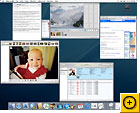
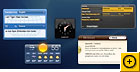
Spotlight might be Tiger's biggest new feature, but you're likely to find plenty of other additions useful. I liked Apple's new Dashboard Widgets, which are attractive mini-applications that aggregate information like stock prices, weather reports, and flight times. Widgets themselves are not new. Mac enthusiasts have long been playing around with Pixoria's Konfabulator widgets, which Apple says are distinct from its own widgets.

I found Dashboard Widgets to be attractive and useful, although you can't work on your machine while a widget is active. Some widgets also occupy a lot of screen real estate. Four or five on a 12-inch PowerBook obscures what's behind them.

Apple improves the Mac's instant messaging chops with IChat AV. The app now supports the Jabber chat protocol and lets you conduct 10-way audio chats and slick-looking four-way video chats, although hardware requirements limit the number of people who can take advantage of this feature. For instance, you need at least a dual 1-GHz Power Mac G4 or G5 and a 384-kbps Internet connection to initiate a four-way video chat. You also need an Apple ISight or a FireWire-connected DV camcorder--IChat did not recognize my Logitech QuickCam Zoom.

Click here for full-size image.

Fans of Really Simple Syndication will also enjoy Apple's update to the Safari Web browser, which now supports RSS feeds for reading blogs and news feeds. Apple includes links to about 25 news sources, but it's easy to add your own (I quickly added PCWorld.com's RSS feeds) and to create a page that aggregates your favorite news sources.

Stricter Parental Controls and Easier Automation

Tiger's Parental Controls for Finder, Mail, IChat, Safari, and the new dictionary/thesaurus (a separate app that lets you look up words without an Internet connection) are strict, but there are some holes. For Mail and IChat, for example, you can add individuals with whom your child can communicate, but once people are white-listed, the OS stops monitoring the contents of the messages. That means they can include every profanity known to man and still make the cut.

For Internet surfing, the controls work only with Safari, and parents have to add every site a child is allowed to visit as a bookmark. I even had to add the highly benign PCWorld.com. This feature may work well for little children but is sure to become limiting for older kids.

Tiger makes makes it easier to deal with repetitive actions like batch-importing photos with its new Automator application. It is distinct from AppleScript and is meant to be far easier to use, although our short time with it didn't yield very fruitful results. It does have a learning curve. Apple includes 175 prebuilt actions, and more are available on its Downloads page as well as through third-party Web sites such as IThink Automator and Automated Workflows.

Finally, cross-platform folks will like the improved support for faster, more seamless networking between Mac and PCs. Apple loves slide shows and has added support for them to the Finder, Spotlight, and Mail, letting you, for instance, view a series of e-mail image attachments as a slide show. Apple has added a .Sync preference to the .Mac preference pane to let you easily sync contacts, calendars, keychains, bookmarks, and mail information to other devices through .Mac.

Bottom line: Mac OS X Tiger is a giant leap over its predecessor, Panther. In my tests the operating system seemed stable and relatively bug-free, and performance was excellent on both my new test system and my aging Powerbook. For me, the Spotlight search and Smart Folders features are worth the purchase price. That said, if they don't wow you, RSS readers and widgets are available elsewhere, and there's always AppleScript as a more technical alternative to Automator.

Sunday, January 28, 2007

Nokia 7360, Nokia 7370, Nokia 7373, Nokia 7380 & Nokia 7390


Nokia 7360

General Network GSM 900 / GSM 1800 / GSM 1900
Announced 2005, October
Status Available
Size Dimensions 105 x 45 x 18 mm, 72 cc
Weight 92 g
Display Type TFT, 65K colors
Size 128 x 160 pixels
- Downloadable themes, wallpapers
Ringtones Type Polyphonic (24 channels), MP3, True Tones, AAC
Customization Download, order now
Vibration Yes
Memory Phonebook 1000 x 10 fields, Photo call
Call records 20 dialed, 20 received, 20 missed calls
Card slot No
- 4 MB built-in memory
Data GPRS Class 10 (4+1/3+2 slots), 32 - 48 kbps
HSCSD Yes, 43.2 kbps
EDGE Class 6, 177.6 kbps
3G No
WLAN No
Bluetooth No
Infrared port Yes
USB Yes, Pop-Port
Features Messaging SMS, MMS, Email
Browser WAP 2.0/xHTML
Games Yes + downloadable, special offer
Colors Coffee brown, Warm amber, Black chrome, Poeder Pink
Camera VGA, 640x480 pixels, video
- Push to Talk
- Java MIDP 2.0
- Stereo FM radio
- T9
- Built-in handsfree
- Calculator
- Calendar
- Voice memo/dial
Battery Standard battery, Li-Ion 760 mAh (BL-5B)
Stand-by Up to 330 h
Talk time Up to 4 h


Nokia 7370

General Network GSM 900 / GSM 1800 / GSM 1900
Announced 2005, October
Status Available
Size Dimensions 88 x 43 x 23 mm, 73 cc
Weight 104 g
Display Type TFT, 256K colors
Size 240 x 320 pixels, 30 x 40 mm
- 180-degree rotator design
- Downloadable themes, wallpapers
Ringtones Type Polyphonic (64 channels), MP3, AAC
Customization Download, order now
Vibration Yes
- 3D stereo speakers
Memory Phonebook 1000 x 23 fields, Photo call
Call records 20 dialed, 20 received, 20 missed calls
Card slot No
- 10 MB built-in memory
Data GPRS Class 10 (4+1/3+2 slots), 32 - 48 kbps
HSCSD Yes
EDGE Class 10, 236.8 kbps
3G No
WLAN No
Bluetooth Yes, v2.0
Infrared port No
USB Yes, Pop-Port
Features Messaging SMS, MMS, Email
Browser WAP 2.0/xHTML
Games Phantom Spider Evolution, special offer
Colors Coffee brown, Warm amber
Camera 1.3 MP, 1280x960 pixels, video (CIF)
- Java MIDP 2.0
- Stereo FM radio
- MP3/AAC/M4A player
- T9
- Calculator
- Calendar
- Voice memo/dial
Battery Standard battery, Li-Ion 700 mAh (BL-4B)
Stand-by Up to 220 h
Talk time Up to 3 h


Nokia 7373

General Network GSM 900 / GSM 1800 / GSM 1900
Announced 2006, September
Status Available
Size Dimensions 88 x 43 x 23 mm, 75 cc
Weight 104 g
Display Type TFT, 256K colors
Size 240 x 320 pixels, 30 x 40 mm
- 180-degree rotator design
- Downloadable themes, wallpapers
Ringtones Type Polyphonic (64 channels), MP3, AAC
Customization Download, order now
Vibration Yes
- Stereo speakers
Memory Phonebook 1000 x 23 fields, Photo call
Call records 20 dialed, 20 received, 20 missed calls
Card slot microSD (TransFlash), hotswap, buy memory
- 8 MB internal memory
- 2.5 MB free internal memory
Data GPRS Class 10 (4+1/3+2 slots), 32 - 48 kbps
HSCSD Yes
EDGE Class 10, 236.8 kbps
3G No
WLAN No
Bluetooth Yes, v2.0
Infrared port No
USB Yes, Pop-Port
Features Messaging SMS, MMS, Email
Browser WAP 2.0/xHTML
Games Sudoku, Music Guess, special offer
Colors Bronze Black, Powder Pink
Camera 2 MP, 1600x1200 pixels, video(CIF)
- Java MIDP 2.0
- Stereo FM radio
- MP3/AAC/M4A/eAAC+/AAC+ player
- Push to talk
- T9
- Calculator
- Calendar
- Voice memo/dial
- Built-in handsfree
Battery Standard battery, Li-Ion 840 mAh (BL-4B)
Stand-by Up to 250 h
Talk time Up to 2 h 30 min


Nokia 7380

General Network GSM 900 / GSM 1800 / GSM 1900
Announced 2005, October
Status Available
Size Dimensions 114 x 30 x 20 mm, 63 cc
Weight 80 g
Display Type TFT, 65K colors
Size 104 x 208 pixels
- Mirror surface
Ringtones Type Polyphonic (64 channels), MP3, AAC
Customization Download, order now
Vibration Yes
Memory Phonebook 1000 x 10 fields, Photo call
Call records 10 dialed, 10 received, 10 missed calls
Card slot No
- 52 MB built-in memory
Data GPRS Class 10 (4+1/3+2 slots), 32 - 48 kbps
HSCSD Yes, 43.2 kbps
EDGE Class 8, 236.8 kbps
3G No
WLAN No
Bluetooth Yes, v2.0
Infrared port No
USB Yes, Pop-Port
Features Messaging SMS, MMS
Browser WAP 2.0/xHTML
Games No
Colors White, Amber
Camera 2 MP, 1600x1200 pixels, flash, video(CIF)
- FM stereo radio
- MP3/AAC player
- Calendar
- Voice dial/memo
- Built-in handsfree
Battery Standard battery, Li-Ion 700 mAh (BL-8N)
Stand-by Up to 240 h
Talk time Up to 3 h


Nokia 7390

General Network UMTS / GSM 900 / GSM 1800 / GSM 1900
Announced 2006, September
Status Available
Size Dimensions 90 x 47 x 19 mm, 76 cc
Weight 115 g
Display Type TFT, 16M colors
Size 240 x 320 pixels
- External 256K colors display, 160 x 128 pixels
- Downloadable themes, wallpapers
Ringtones Type Polyphonic (64 channels), MP3, AAC
Customization Download, order now
Vibration Yes
- Stereo speakers with 3D sound
Memory Phonebook Yes, Photo call
Call records 20 dialed, 20 received, 20 missed calls
Card slot microSD (TransFlash), hotswap, buy memory
- 21 MB free internal memory
Data GPRS Class 10 (4+1/3+2 slots), 32 - 48 kbps
HSCSD Yes
EDGE Class 10, 236.8 kbps
3G Yes, 384 kbps
WLAN No
Bluetooth Yes, v2.0
Infrared port Yes
USB Yes, Pop-Port
Features Messaging SMS, MMS, Email
Browser WAP 2.0/xHTML
Games Music quiz, Snake, 3D race, special offer
Colors Bronze Black, Powder Pink
Camera 3 MP, 2048x1536 pixels, autofocus, video, flash; secondary VGA videocall camera
- Java MIDP 2.0
- Stereo FM radio
- MP3/AAC/M4A/eAAC+/AAC+ player
- T9
- Calculator
- Calendar
- Voice memo/dial
Battery Standard battery, Li-Ion BP-5M
Stand-by Up to 220 h
Talk time Up to 3 h


Saturday, January 27, 2007

Sony PlayStation Portable/PSP


Sony PlayStation Portable/PSP

Ever since the Sony PlayStation Portable (PSP) was announced at E3 in May 2004, we have been eagerly anticipating the hottest console launch (sorry Nintendo DS) this year, even if it is only for the Japanese market right now. We were fortunate enough to get a unit to test a mere five days after the Japanese release date and have been playing with it all weekend. The Sony PSP features a large 4.3-inch 16:9 widescreen LCD TFT screen with a 480x272 resolution, button layout similar to the PlayStation with a digital control pad, an analog stick, circle, square, triangle, x, and 2 shoulder buttons, USB 2.0 connectivity (via mini-USB), a Memory Stick Duo media slot, and 802.11b WiFi support. It uses Sony�s proprietary Universal Media Disc, which stores up to 1.8GB in a format reminiscent of MiniDiscs. The Japanese launch release date was December 12th and the first shipment of PSPs quickly sold out.

We got the Standard edition PSP, which comes with the PSP itself, a battery, an AC adapter, and a manual, along with Ridge Racers and Minna No Golf Portable. (The Value Pack adds a 32MB Memory Stick Duo, a soft carrying case, and headphones with an in-line remote.) The box does not come with a sticker seal of any sort, which we weren�t quite used to considering anything and everything comes with some sort of factory seal here in the US.

When we shook the product box, we could hear some rattling around. We weren�t too thrilled about that, since the unit did come a long ways from Japan. Luckily, when we opened the package, the PSP fits snugly into the surrounding cardboard, the rattling we heard was mostly likely the power adapter cables. We noticed a lack of any type of demo disc included with the unit. Some PSP Value Packs apparently do come with a UMD Demo Disc, but we�ve also heard from a few people that got Value Packs without any demo discs inside as well.

When you first lay your hands on the PSP, you immediately notice the screen. The 4.3-inch display dominates the device, it looks like it takes up two-thirds of the real estate on the front fascia. In other words, massive. The unit feels expensive, and exudes sexiness, much like Apple�s iPods (and you know how big of a fan we are of iPods). The unit feels perfectly balanced when held with both hands. It does not feel like a $200 console (Japan MSRP for console only) at all. We�re sure Sony is losing a few hundred bucks off each unit sold as the PSP easily feels like it�s worth $400 of gadgetry (when compared to portable video and audio players and the DS). We feel Sony could have gotten away with a $300 sticker price, but in an effort to destroy Nintendo�s firm grasp of the handheld gaming market, they�ve set the price just $50 more than the Nintendo DS (which was released in both Japan and US markets just last month). It feels like an extreme bargain for two bills. The screen is immersive, drawing you in when playing videos or games and so big that you may not need your glasses to play. The black color fits well and matches the Playstation 2�s color. The dimples across the top row of the screen reminded us of carbon fiber, currently the rage in import tuner cars.

When you pay for a new console, you expect it to be perfect. Alas, ours was not. We noticed two lit pixels (always-on pixels), one in the middle of the screen, about one-fourth of the way down, and one near the very right edge of the screen. So out of 130,560 pixels on the LCD screen, we got two defective ones. It�s actually not too noticeable unless you look for it and we didn�t notice until we played with the PSP in pitch black darkness. We could make a big fuss, but we�ll just deal with it, and hope that Sony will be as honorable as Nintendo when fixing units with dead pixels for their customers.

Another complaint of the PSP so far has been the ejecting UMD problem in which the user in the video appears to flex the PSP quite a bit to get it to eject spontaneously. We�re happy to report that we didn�t have such problems with any self-ejecting discs and that our PSP is built rather solidly, though we didn�t dare to twist the unit as hard as we could. We initially had some light squeaking noises when we pressed right on the directional pad, but after a weekend of use, the annoying sound has disappeared.

The PSP, with battery, Memory Stick Pro Duo, and UMD inserted, weighs 10.3 ounces, making it fine to put in a jacket pocket (with case or cover of course), but not exactly friendly in a pants pocket with its long form factor. We�ve heard of some Japanese folks wearing the PSP like a necklace (there is a strap handle at the bottom left section of the PSP), but as cool as that may make them look, we didn�t think our necks could take the strain.

Unfortunately, with the fine glossy screen comes the problem of fingerprints and smudges. While we didn�t use latex gloves while handling the unit, we were very careful to try and handle it with the utmost of care. That said, there were smudges around the control buttons within seconds. It�s pretty much unavoidable to smudge the smooth front cover, so we recommend a very soft cloth to wipe off smudges and smears, but make sure the cloth doesn�t scratch up the LCD. The back of the unit is textured plastic and does not smudge. Within an hour of playing some games on the PSP and constantly wiping off smudges, there were some light scratches on the screen. We�re hoping that Sony will sell replacement PSP faceplates at a reasonable price.

The front of the PSP unit has the directional pad on the left side, and the analog thumb stick (looks like speaker mesh) below that. The analog thumb stick is quite a burden to use since it�s so far down, as there is no thumb support from the unit when you use it. It was fine to play Ridge Racers with it, but after 15 minutes, we felt as if we were getting thumbitis with a sore thumb joint. To the right of the LCD is the standard circle, square, triangle, and x buttons any Playstation junkie has become accustomed to. The left and right trigger buttons are at the top of the unit and are clear, looking a bit like jewelry. All buttons on our review unit were easy to press and click fast if necessary.

Creative PC-CAM 950 Slim


Small in size, big on features

Introducing the PC-CAM 950 Slim: A digital still camera, camcorder and webcam all encased in one sleek, light device. Get up to 10-megapixel resolution and 4X Digital Zoom, so you can capture moments that are sharp and highly-detailed every time. Or use PC-CAM 950 Slim as a sleek portable storage device to carry your documents anywhere you need to be. Now available in stylish black, silver or blue.

features features features
  • Ultra-portable digital still camera, camcorder and webcam in one device
  • Up to 10-Megapixel interpolated resolution
  • 1/1.8" 5.0-Megapixel sensor
  • Video recording at VGA (640 x 480) resolution (AVI) with audio
  • 4X Digital Zoom
  • Large 2.0" LCD screen
  • 32MB integrated memory
  • SD expansion slot (holds SD cards of up to 1GB capacity1)
  • Mass Storage class driver
  • Direct Print support
  • Video Out connectivity
  • Powered by 2 x AAA batteries

Creative DiviCam 516


Camcorder, Camera, MP3 Player, Voice Recorder, WebCam.

Creative DiVi CAM 516 is the ideal entry level digital camera for anyone looking to take fun home videos and high quality pictures. Featuring a 5-megapixel sensor, you can take high quality pictures at up to 12-megapixel1 resolution. Use it as a Digital Video Camera, Digital Camera, MP3 Player, Voice Recorder, WebCam and Mass Storage Device all packed into a compact and handy device.

Feature 1

High- resolution video High-resolution video
Capture high quality 640x480 VGA and 320x240 QVGA video at up to 30 frames per second. The DiVi CAM 516 also supports the MPEG 4 video format.
5-megapixel sensor 5-megapixel sensor
Capture up to 12-megapixel pictures¹! Its high quality 5-megapixel sensor ensures your shots are always sharp and vibrant.
4X Digital Zoom 4X Digital Zoom
With its powerful zoom, capture distant objects clearly, without sacrificing image quality.
1.7 TFT LCD screen 1.7" TFT LCD screen
Features a rotating 1.7" TFT LCD screen capable of 480x240 resolution, take multiple angle shots with ease.
Audio Video out Audio/Video out
The DiVi CAM 516 comes equipped with AV out for instant playback of recorded videos to any TV easily.
SD/MMC expansion slot SD/MMC expansion slot
Expands the memory capacity up to 1GB2, letting you store more precious moments. The DiVi CAM 516 comes with an integrated 32MB memory.
Compatible with both USB 2.0 and 1.1 Compatible with both USB 2.0 and 1.1
DiVi CAM 516 is compatible with computers that have either USB 2.0 or USB 1.1 connectivity.

Creative DiviCam 525D


Videos. Photos. Music. More than You imagine.

Introducing the versatile Creative DiVi CAM 525D - a digicam, still camera, video player, MP3 player, voice recorder and even webcam in a single, sleek device. Compose shots from multiple viewing angles easily without the "shakes", thanks to a flexible 2.5-inch LCD screen and Motion Stabiliser feature. The DiVi CAM 525D has an SD expansion slot that increases its capacity to up to 2GB1, letting you save more of the memories you love. Record directly from any video source using the Audio/Video In.

Feature 1

High- resolution video High-resolution video
Bigger videos with better quality. Capture 640x480 VGA and 320x240 QVGA video at up to 30 frames per second. The DiVi CAM 525D also supports the MPEG 4 video format.
Motion Stabiliser Motion Stabilizer
No more shaky, blur videos! The smart Motion Stabilizer gives you smoother video every time you use it.
Real-time recording from your TV or other external sources Real-time recording from your TV or other external sources
You can record videos directly from any external source - TV, DVD player, VCR, cable set-top box - into the DiVi CAM 525D! Just like a mini VCR, record movies, soccer matches which you missed and enjoy them anytime, anywhere!
Easy conversion of clips Easy conversion of clips
Convert video clips of any format for playback on the DiVi CAM 525D with the included Ulead software.
5-megapixel CCD sensor 5-megapixel CCD sensor
Capture up to 11-megapixel pictures2! Its high quality 5-megapixel CCD sensor ensures your shots are always sharp and vibrant.
8X Digital Zoom 8X Digital Zoom
With its powerful zoom, capture distant objects clearly, without sacrificing image quality.
2.5 LTPS TFT LCD screen 2.5" LTPS TFT LCD screen
High resolution LTPS TFT LCD screen provides pixel perfect clarity. Rotate the screen and enjoy multiple viewing angles for playback and capture of precious moments.
Night mode Night mode
Get high quality video and photos - day or night. The CCD sensor increases its light sensitivity under poor lighting conditions, so you get clear images every time.
Photo effects Photo effects
Spice up your photos with special effects such as Two-in-One or Photo Frame!
SD expansion slot SD expansion slot
Expands the memory capacity on the DiVi CAM 525D up to 2GB1, letting you store more precious moments. The camera comes with an integrated 32MB memory.
USB 2.0 USB 2.0
Simply connect DiVi CAM 525D to your computer using a USB cable, and transfer videos, photos, music and data files faster than ever! No messy software installations needed.